
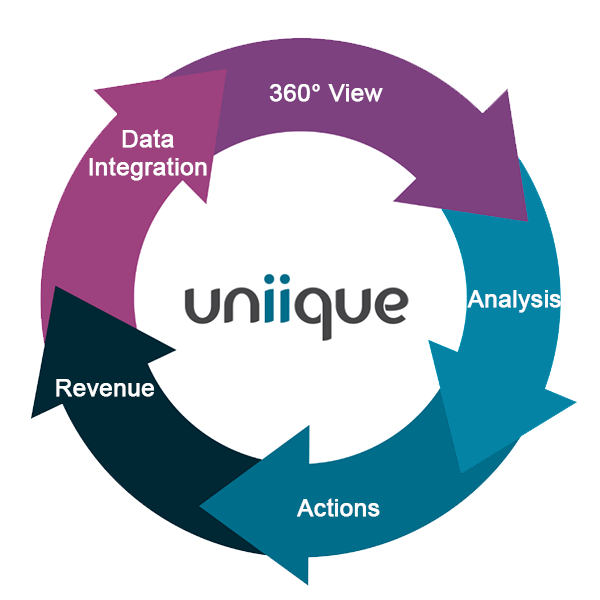
Would you like to gain a 360° view of all information related to your customers and processes? We’ll build a customer data platform tailored to your needs. The Uniique Basic Platform provides you with all the essential features: you can integrate, clean, cluster, and analyze data from various systems; create and send reports; and much more.
Depending on your needs and the complexity of your processes, the Uniique platform can be flexibly expanded: Accelerate performance with additional CPUs, license additional users, or leverage comprehensive features for email marketing and marketing automation. Learn more!
For small and medium-sized businesses with straightforward processes, 4 CPUs are generally sufficient to make effective use of the Uniique platform. For more complex processes, the use of live connectors or custom requirements, additional CPUs can be added.
The Uniique Basic System includes 2 full users. You can add additional full users or read-only users as needed.
With our freely configurable REST interface, you can integrate various systems such as databases, ERP systems, accounting systems, e-commerce systems, CRM systems, marketing automation systems, ticketing systems, reservation systems, etc.
You can consolidate, clean, deduplicate, segment, categorize, and prepare data in Uniique, and more.
In Uniique, you can perform comprehensive analyses of the integrated data to, for example, determine which customers are buying what, where, and when; identify areas of potential and risk; and present the analysis results visually to your stakeholders.
In Uniique, you can create ad hoc reports or use the built-in report designer to create custom reports. You can send these reports to your stakeholders manually or automatically.
For complex processes, the use of live connectors or custom requirements, using additional CPUs may be beneficial. We’ll work with you to determine your needs and build the platform according to your requirements with the necessary CPUs.
You can add more users as needed. Feel free to contact us for a quote.
It is also possible to add read-only users. Please contact us for a quote.
To enable immediate, real-time data transfer, we can set up live connectors, for example, to your SAP or CRM system. Please feel free to contact our sales team to discuss your specific requirements.
Are you interested in specific areas or features and want to learn more? We’d be happy to give you an overview!
In general, the Uniique platform always provides you with access to its core features: the integration of data from various systems, data management (such as duplicate detection), a wide range of data analysis and visualization options, and the ability to create various reports and send them manually or automatically. In addition, we customize the software to meet your specific needs. We will work with you to determine your needs and then provide you with a customized quote.
You can run the Uniique software as an on-premises version on your own systems or use it as a SaaS solution. We will set up Uniique as a SaaS solution for you in accordance with your individual security requirements and usage scenarios, either on virtual servers or on servers dedicated solely to your use. Upon request, we can also handle the support and maintenance of your systems.
The Uniique Customer Data Platform was designed as an open system: We have developed a freely configurable REST interface so that no standard interfaces are required. Should adjustments or extensions to the REST interface ever be necessary for external tools, this can be implemented easily. In addition, we can generally retrieve data from databases of external systems if third-party interfaces offer only limited functionality, or to perform dynamic data extensions (e.g., custom tables).
We configure Uniique to meet your specific needs: on dedicated servers for your exclusive use, or on virtual servers. We use certified data centers that meet the highest security standards—the same ones used by our clients in the banking sector, for example.
You can find our FAQs on installation, training, support, and maintenance in the Support section.
Please provide your contact information and a preferred date for the call. If that date doesn’t work for us, we’ll suggest an alternative time.